Play
Play mode provides a realistic blackjack table with up to seven player seats (three in FREE). The screen integrates a count HUD, bet recommendations, decision suggestions, and correctness feedback so you can practice both basic strategy and card counting in a full table rhythm.
Table Features
- Count HUD: Displays Running Count (RC) and True Count (TC) at the top of the screen in real time. Updates according to the current Mode (Basic, Hi-Lo, Hi-Opt I).
- Bet Recommendation: Tap "Use Recommended" to have the app calculate the suggested bet based on the current counting system, True Count, and Bet Ramp, or set the bet manually.
- Decision Suggestion: When enabled, shows the recommended action (Hit, Stand, Double, Split, Surrender, Insurance) and the strategy reason before each decision.
- Correctness Feedback: After each decision, immediately shows whether the choice matched the current mode's standard, helping confirm basic strategy consistency.
- Multi-Seat: Configure up to seven player seats and choose your own position to simulate a realistic multi-player table rhythm.
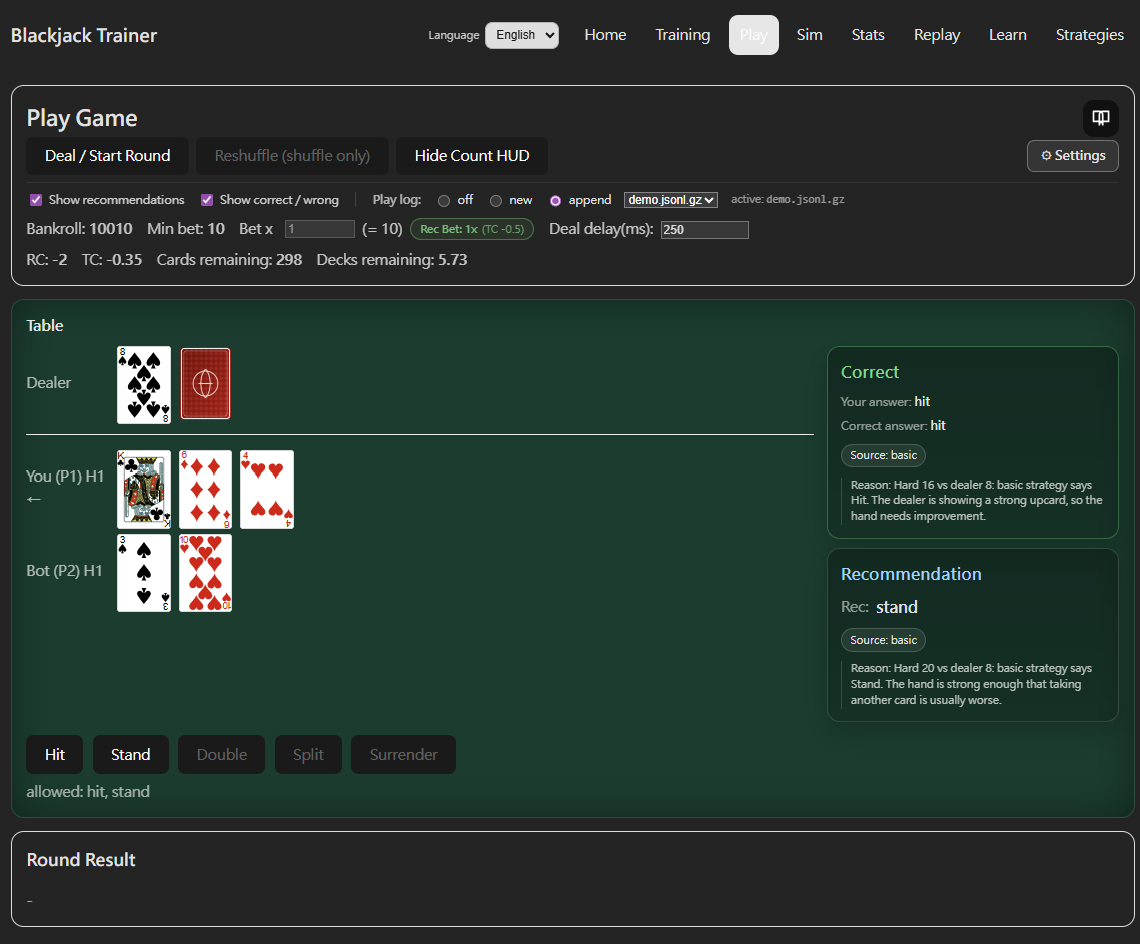
Play Log
The Play log control at the top of the game screen lets you choose whether to save each session's hand records for later review in Replay:
- off: No recording — hands are not saved.
- new: Start a new file — creates a fresh .jsonl.gz log file for the current session.
- append: Continue an existing file — select a previous log from the dropdown and new hands are appended to it, letting you build a continuous training history across multiple sessions.
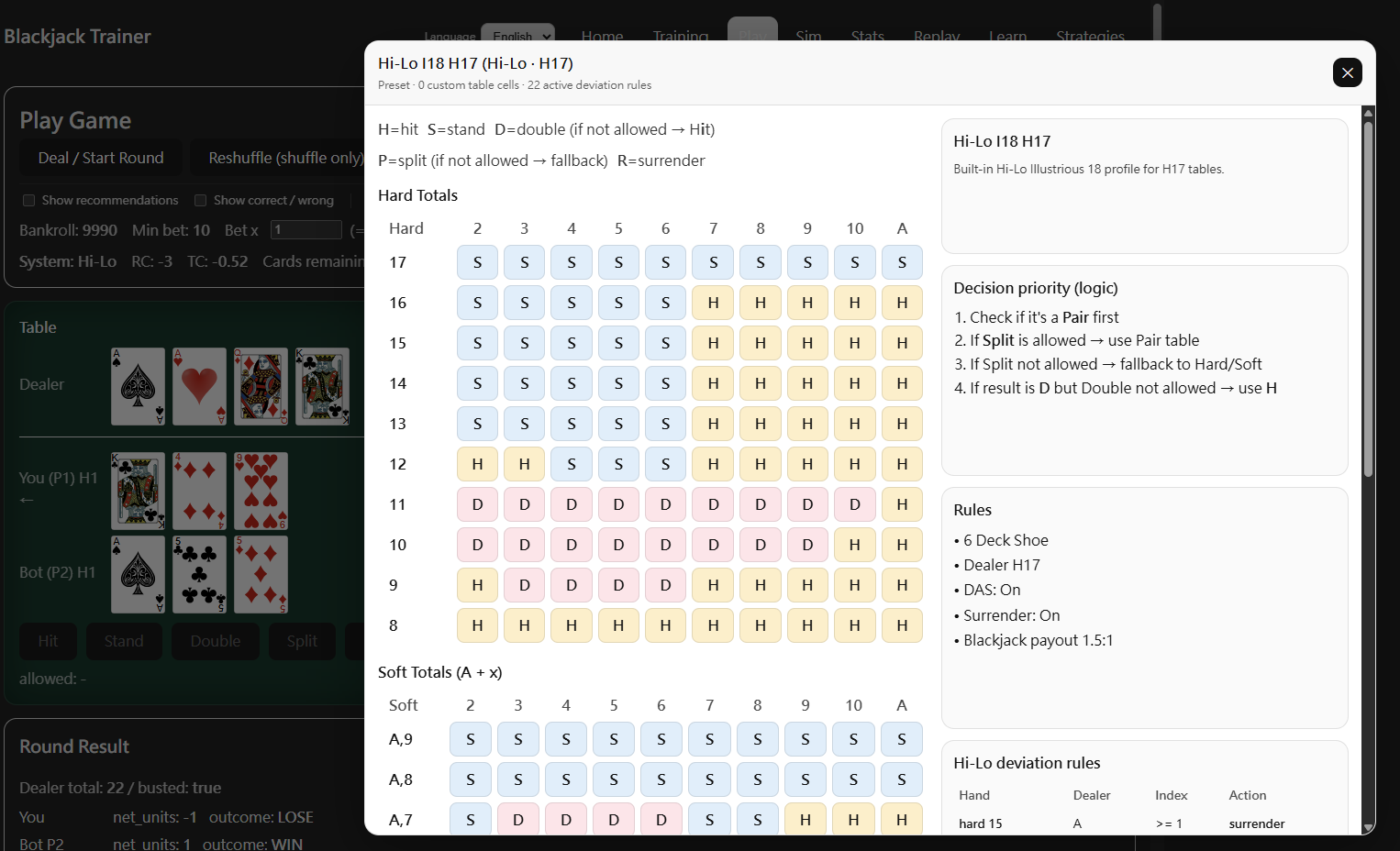
In-Game Strategy Table
During play, clicking the Strategy Table icon in the top-right corner of the game screen opens a strategy reference panel showing the Basic Strategy charts (Hard and Soft Totals, matched to current table rules) and the Deviation rules for the active counting system — including any custom Index thresholds and actions configured in Strategies. Use it to quickly confirm the source of any recommendation while playing.
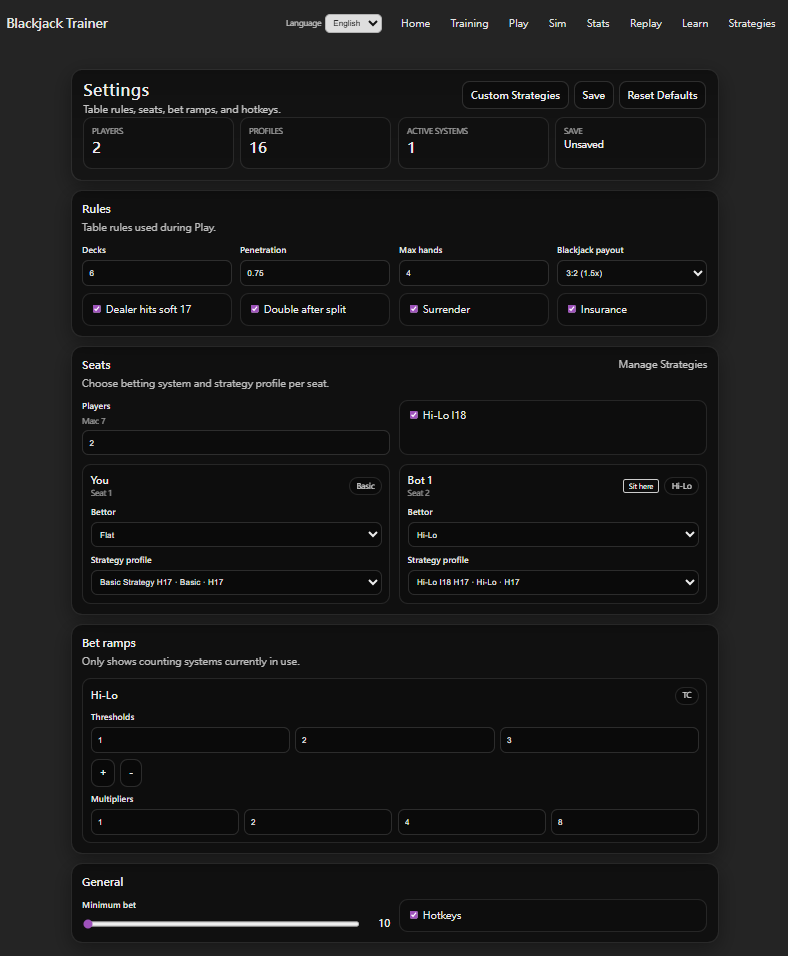
Settings
The settings panel in the top-right corner can be adjusted without interrupting the game:
- Mode: Switch between Basic, Hi-Lo, or Hi-Opt I to determine which standard governs bet recommendations, decision suggestions, and correctness checks.
- Table Rules: H17 / S17, Double rules, Surrender, Insurance — simulate different casino conditions.
- Deck Count & Penetration: Adjust the number of decks and cut depth, affecting True Count conversion and counting difficulty.
- Bet Ramp: Set True Count thresholds and corresponding bet multipliers, affecting recommended bet calculations and Replay's bet-mistake judgments.
- Deal Speed: From slow to fast. Start slow to allow time for RC / TC calculation; increase speed to simulate real-table pressure.
- Seats & Player Modes: Set the number of players, your own seat, and the Mode (Basic, Hi-Lo, Hi-Opt I) for each seat to build different practice scenarios.
- Hi-Opt I Settings (PRO): Advanced options for Ace side count.