Strategies
Strategies lets you customize a Basic Strategy Table and Deviation rule set for each counting system, then apply them to Play, Training, and Simulation decision judgment. Basic and Hi-Lo are FREE; the other counting systems (Hi-Opt I, KO, Red 7, FELT, Zen, Omega II) require PRO to create or edit Custom profiles.
Strategy Profile Overview
The left sidebar filters by counting system (Basic, Hi-Lo, KO, Red 7, FELT, Zen, Hi-Opt I, Omega II) and dealer rule (H17 / S17), and the matching profiles appear in the list below.
The app ships with read-only Preset profiles (one per system). To customize, click Duplicate to copy a preset, or + Add Custom to start from scratch. Only Custom profiles can be edited, saved, and deleted.
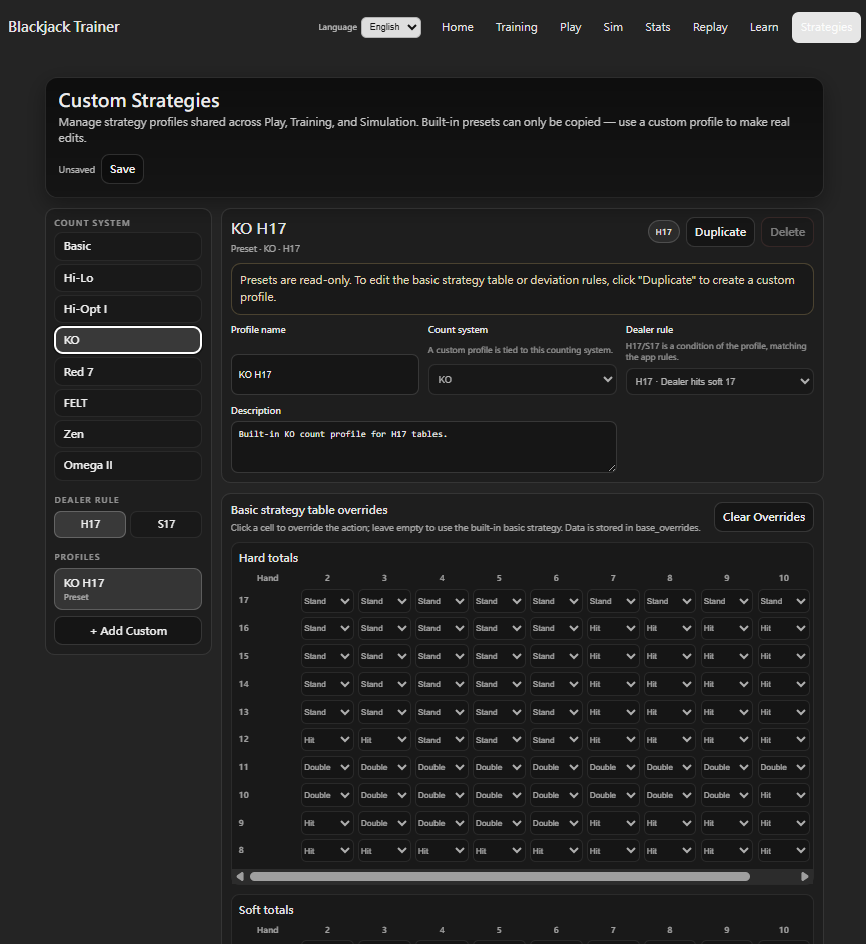
Strategy Table Customization
Each profile includes a Basic Strategy Table with three sections: Hard Totals, Soft Totals, and Pairs. The horizontal axis shows dealer upcards (2–10, A); the vertical axis shows player hand values or pair types. Each cell shows the standard action for that situation.
In a Custom profile, click any cell's dropdown to change the action (Hit / Stand / Double / Split / Surrender). Modified cells are highlighted in gold. Click Clear Overrides to revert all customizations to the base default at once.
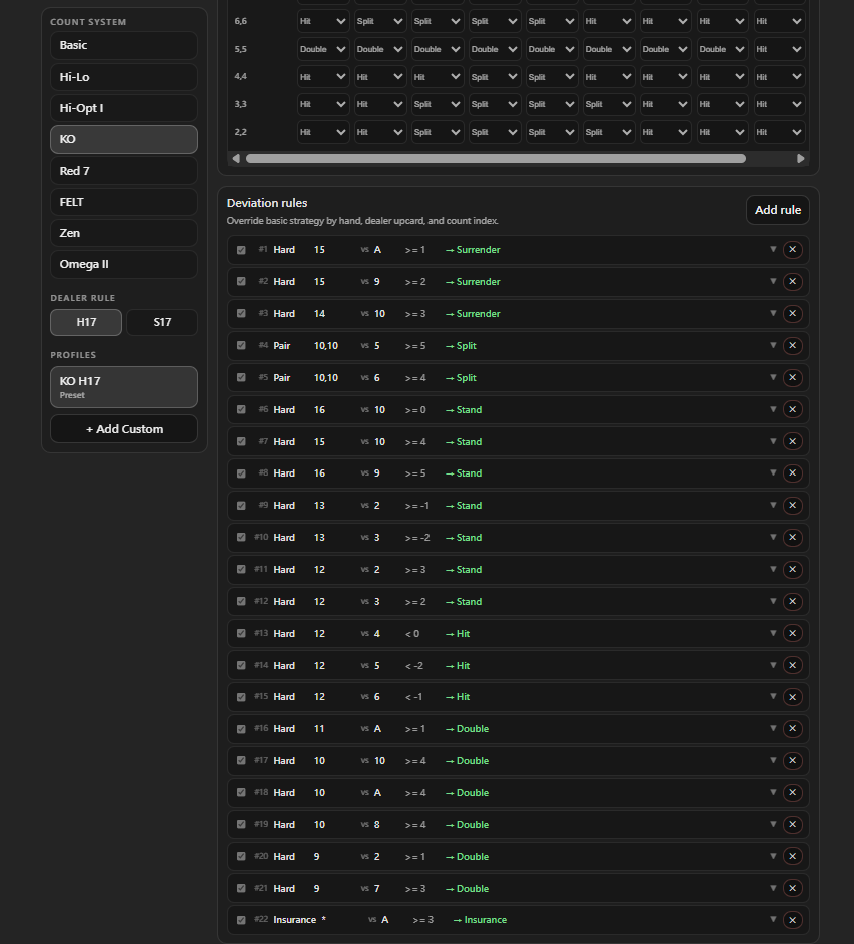
Deviation Rule Customization
The Deviation section below the table lists all custom rules. You can add, enable/disable, or delete each rule. Each rule specifies:
- Hand Type: Hard / Soft / Pair / Insurance.
- Player value vs Dealer upcard: The hand and dealer upcard combination that triggers this rule. Wildcard
*is supported. - Trigger: A count signal threshold (>= / > / <= / < + value). Balanced systems (Hi-Lo, FELT, Zen, Hi-Opt I, Omega II) use True Count; KO and Red 7 use Running Count.
- Action: The action to take when the signal meets the threshold (Hit / Stand / Double / Split / Surrender / Insurance).
- Enable / Disable: Toggle each rule individually — disable rules you're not using without deleting them.
- Notes: Free-text memo field.
Where Custom Profiles Apply
Once saved, a Custom Profile can be selected in three places:
- Play Mode: Assign a Strategy Profile to each seat in Settings. Bet recommendations and decision correctness feedback in Play will use the custom Table and Deviation rules.
- Training — Decision Training: Select a Strategy Profile to have Deviation questions generated and graded against your custom rules — useful for drilling your own deviations.
- Simulation (PRO): Choose a Strategy Profile in the Sim setup to run simulations using your custom strategy and evaluate its long-term EV and ROI.