Strategy
The Strategy feature lets you create custom deviation rule sets for each counting system, rather than being limited to the built-in index spec. You can start from the system preset, copy it, and modify individual rules to test how different index thresholds affect decisions.
Strategy Page and System Selection
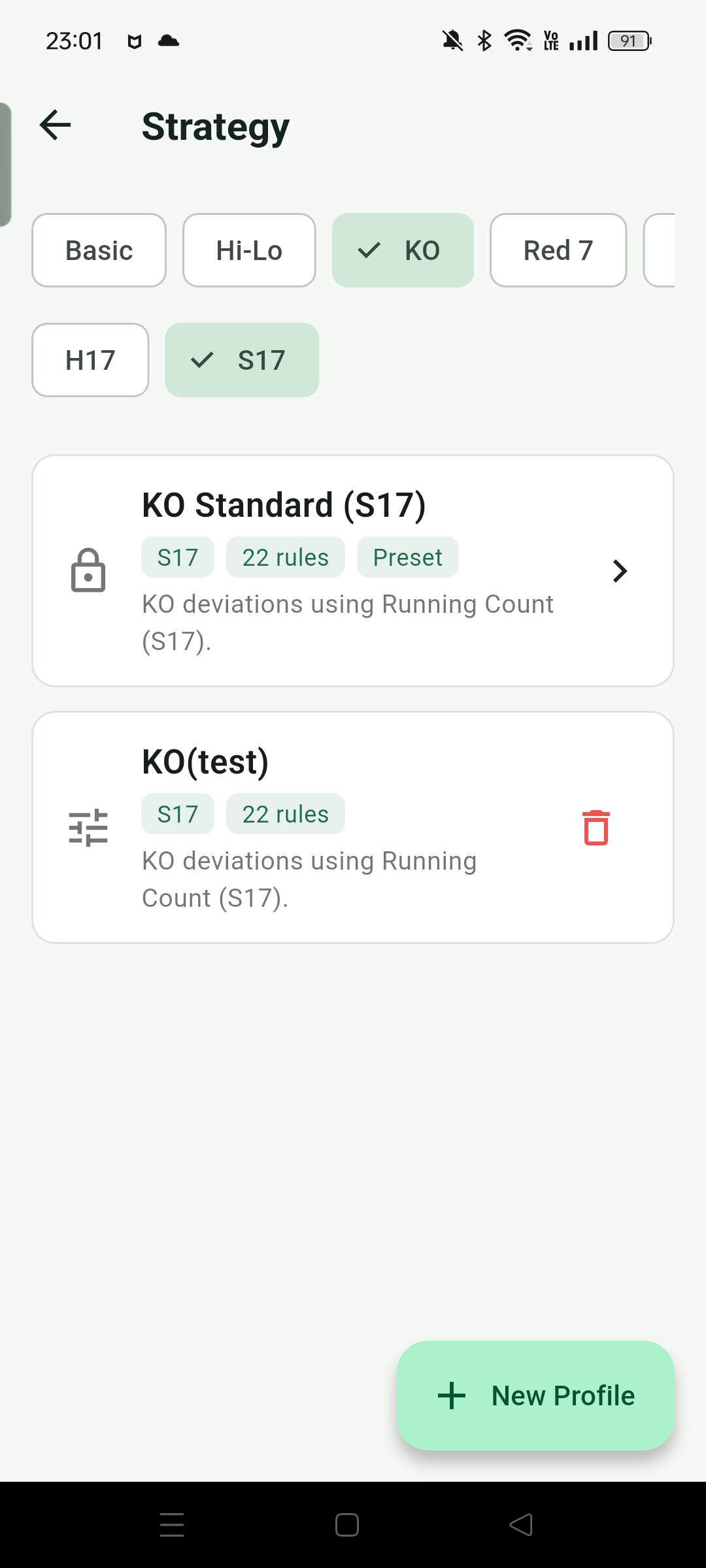
At the top of the Strategy page, you can switch between counting systems: Basic, Hi-Lo, KO, Red 7, FELT, Zen, Hi-Opt I, Omega II, plus an H17 / S17 filter. Each system has a preset strategy for each dealer rule, displayed as a locked "Preset" card.
The preset strategies correspond to the index spec preloaded in the app's game and training modes. You can tap into them to view the complete deviation rule table, but cannot edit them. To modify rules, you need to create a custom strategy first.
Creating a Custom Strategy
Tap the "Add Strategy" button in the lower right, enter a name, and the app copies the preset for the currently selected system and H17/S17 setting into a new editable strategy. You can enter edit mode immediately or return to it later.
Custom strategy cards have a delete button on the right to remove strategies you no longer need. Preset strategies cannot be deleted.
Viewing and Editing Strategy Rules
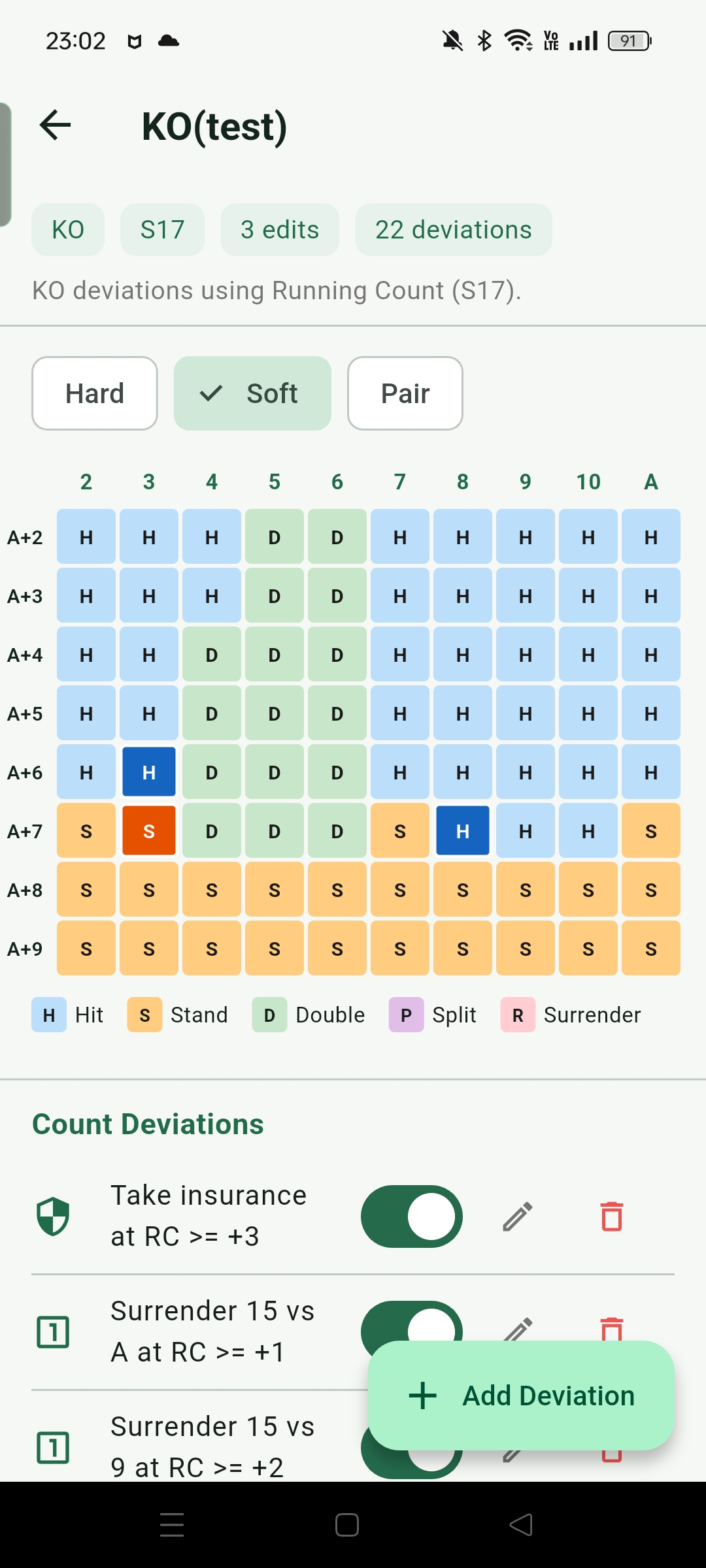
Opening a strategy shows a rule table tabbed by Hard / Soft / Pair, with columns for dealer upcard (2–A) and rows for player hand total. Each cell shows the current action (Hit, Stand, Double, Split, Surrender). For custom strategies, cells that differ from the default basic strategy are color-coded, making it easy to see which situations have been modified.
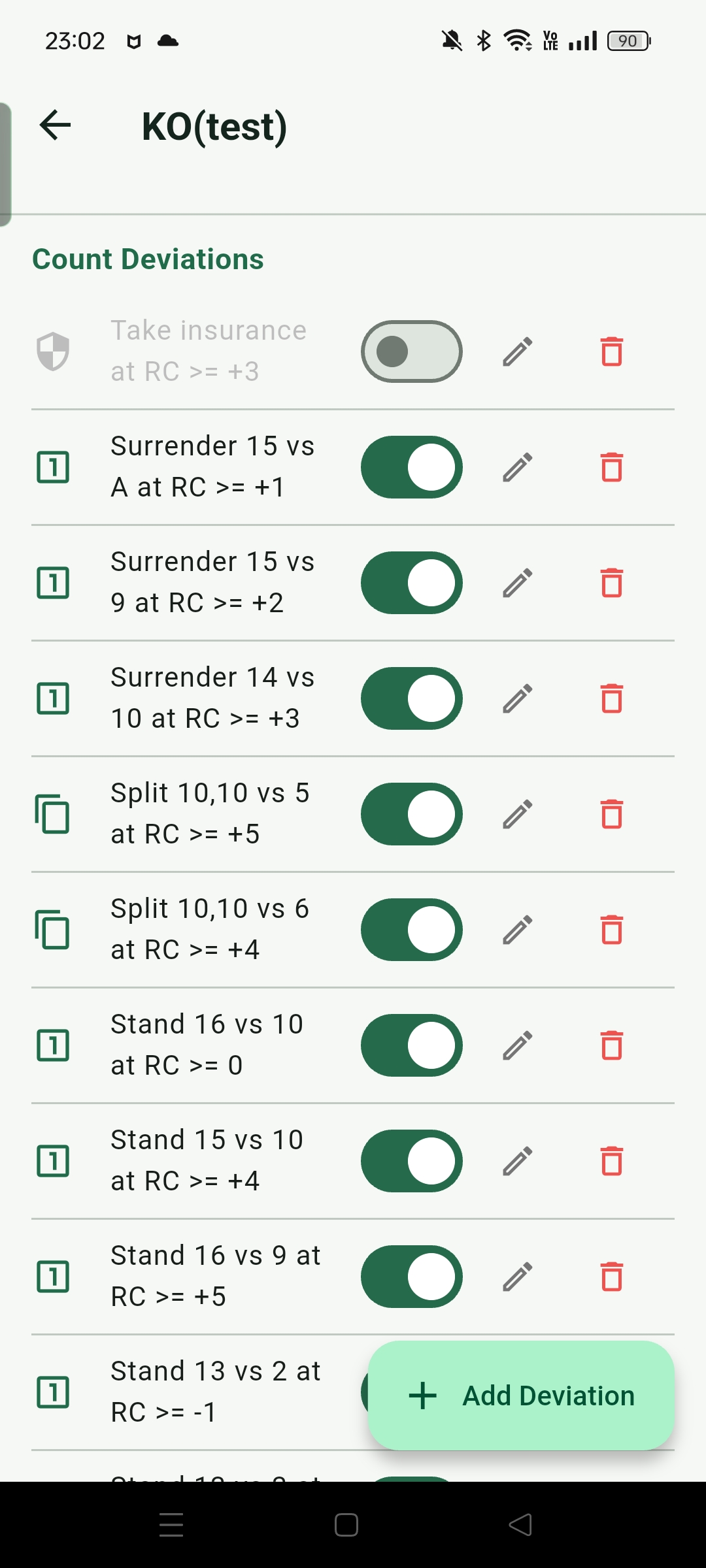
Tapping a cell opens the rule editor, where you can configure:
- Hand type: Hard, Soft, Pair, or Insurance
- Dealer upcard: 2–10 or A
- Player hand total (not required for Insurance)
- TC / RC threshold: the count condition that triggers this rule
- Comparison direction: >= or <
- Override action: the action to take when the condition is met
- Note (optional): record the source or reason for this rule
Applying a Custom Strategy to the Game
After creating a custom strategy, go to the "Advisor mode" section in Settings and select your strategy name from the dropdown. The game and Decision Training will then use your custom rules for recommendations. Selecting "Default" reverts to the system's built-in index spec.
Use Cases
Test Different Indexes
Raise or lower a deviation threshold and observe how often it triggers in Game mode and Decision Training.
Simplified Spec
Remove a few low-frequency or hard-to-remember deviations from the preset to build a simplified version suited to your current memory capacity, then gradually restore them.
Compare Different Sources
If you find different index values in a book or another tool, copy the preset and adjust entries one by one, then use the app to verify the differences.